
Robotic Labelling System Selection Guide
Start with products, label positions and production throughput, then decide between a fixed applicator and a robot. Evaluate end effectors, vision positioning, safety configurations and data interfaces under actual operating conditions.
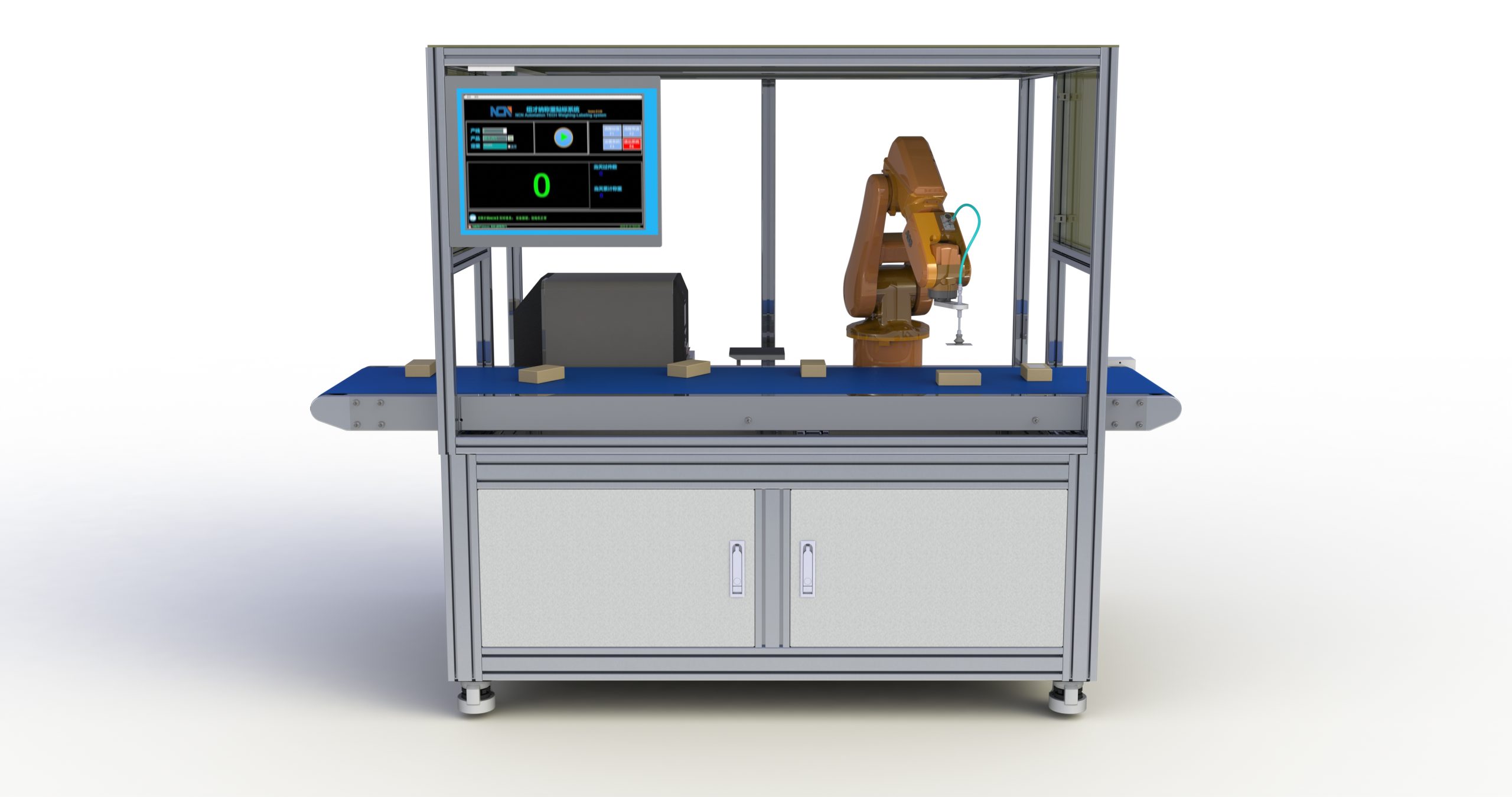
First Decide: Robot or Fixed Applicator?
A robot is not automatically the better choice. Assess whether its flexibility justifies the added complexity of safety, integration, maintenance and cycle time.
2. Does actual product position require recognition and path correction?
3. Can a fixed applicator reliably achieve the required position and throughput over time?
4. Does the flexibility justify the safety, integration and maintenance complexity?
Define Products, Labels and Application Positions as Measurable Inputs
Without quantified product, label and position requirements, robot reach, end-effector design and cycle-time calculations lack a reliable basis.
| SKU | Product Range | Label | Application Surface | Quantity | Positioning Method |
|---|---|---|---|---|---|
| A | Enter | L1 | P1 / P2 | Enter | Fixed / vision |
| B | Enter | L2 | To be confirmed | Enter | Fixed / vision |
| C | Enter | L3 | To be confirmed | Enter | To be confirmed |
The Robot Executes Motion; Reliability Comes from the Complete Workflow
Printing, pickup, positioning, motion, safety and data require defined inputs, completion criteria, timeouts, exception routes and recovery logic.
Sensing: arrival detection and optional vision positioning, feature recognition or result inspection.
Control: PLC, conveyor interlocks, safety doors/light curtains and robot work-zone logic.
Data: product tasks, label templates, databases and MES/ERP interfaces.
End Effectors and Label Handoffs Need Detectable States and Recoverable Faults
Design the end effector around label dimensions, product surfaces and the application method. Completed robot motion is not equivalent to a completed label task.
| Stage | Handshake Information | Completion Criteria |
|---|---|---|
| 1 | Print Job | Template and data ready |
| 2 | Label Ready | Print complete / ready for pickup |
| 3 | Pickup Confirmation | Label acquired by the end effector |
| 4 | Application Motion | Path and product conditions satisfied |
| 5 | Result Confirmation | Completed, failed or awaiting intervention |
When Vision Positioning Is Needed and How to Specify Acceptance
Vision may provide positioning, feature recognition or application-result inspection. Define these as three separate tasks.
Window: permitted incoming range and visible area.
Output: coordinates, task code, decision or completion signal.
Failure: no recognition, ambiguity, out-of-range position or interface timeout.
Recovery: isolation, retry, manual handling and retained data.
Evidence: images, result codes, timestamps and product-task associations.
Break Down the Cycle Time
System cycle time is neither single-axis robot speed nor maximum printer speed. Add sequential actions, identify bottlenecks in parallel actions, then validate product spacing and continuous operation.
Scope: This guide provides no fixed speed. Calculate and validate final cycle time using actual products, labels, layout and control logic.
Safety and Layout: Define Boundaries Before Robot Motion
Safety configuration requires a project risk assessment and applicable local regulations/standards. This public selection guide helps define functional boundaries; it does not replace formal safety design.
Keep Data, Recipes and Traceability in One Task Chain
Link MES/ERP, databases, scanned tasks, print templates, robot programs and vision recipes through a common task code or product ID.
Acceptance Requires More Than Applying a Label
Agree samples, operating conditions, test duration, responsibilities, evidence and pass criteria before testing.
| Scenario | What to Observe | Evidence | Responsibility |
|---|---|---|---|
| Representative Products | Coverage of specifications, application surfaces and tasks | Samples / results | FAT + SAT |
| Continuous Operation | Throughput, stability and complete records | Operating records | FAT + SAT |
| Changeover | Recipe switching and error prevention | Changeover records | FAT + SAT |
| Exception Recovery | Stop, clear fault, reset and resume | Event records | FAT + SAT |
| Labels Exhausted | Alarm, stop and replenishment procedure | Alarms / records | FAT + SAT |
| Insufficient Vacuum | Pickup state, interlocks and recovery | Alarms / records | FAT + SAT |
| Vision Failure | Failure criteria, isolation and retries | Images / results | If configured |
| Interface Interruption | Timeouts, retained data and consistent recovery | Communication logs | If configured |
Information Needed for Project Assessment
Discussions can start with incomplete information. Fill in what is known and mark other items as to be confirmed.
Download the Robotic Labelling Customer Selection Guide (Chinese)
The PDF covers solution decisions, products and labels, workflow, end effectors, vision positioning, cycle time, safety, data connectivity, FAT/SAT and customer input forms.
Download Selection PDF (Chinese)Frequently Asked Questions
Is Robotic Labelling Always Better Than a Conventional Labeller?
No. For fixed directions and positions, stable product presentation and limited SKU variation, a conventional applicator is often more direct and economical. Robots are more relevant to multiple positions, varied specifications, larger movement ranges or vision-based positioning and path correction.
How Fast Can a Robotic Labelling System Run?
A fixed speed cannot be quoted without a project definition. Cycle time includes arrival, printing, label pickup, robot movement, application, return, confirmation and product spacing. Calculate and validate it with actual products, labels, paths, layouts and control logic.
Can One Robot Label Multiple Positions?
Yes, but reach, product orientation, label count, motion paths, clearance and total cycle time per product must all be checked. Additional positions can affect throughput.
When Is Vision Positioning Needed?
Consider vision when product position, angle or orientation varies enough that fixed guides cannot reliably meet placement requirements. Define the target, permitted window, output coordinates, failure criteria and exception handling separately.
Does Completion of the Robot Motion Mean the Label Has Been Applied Correctly?
No. Print jobs, label readiness, pickup confirmation, application motion and application results are separate events. Decide the required level of recording based on project risk, adding label-presence, vacuum, release or application-result checks where needed.
Can It Connect to MES, ERP, Scanning or Vision Systems?
Project-specific interfaces can link task codes, label templates, print fields, robot programs, vision recipes and result events. State consistency must be tested during exceptions, disconnections and recovery.
Define Products, Label Positions, Throughput and Layout Before Choosing a Robot
Founded in 2015, NCN Automation Technology (Shanghai) Co., Ltd. focuses on automation and intelligent applications for food packaging end-of-line operations. Its work covers weigh-price labelling, on-demand print-and-apply labelling, checkweighing, AI recognition and vision inspection, quality inspection, robotic labelling and production data connectivity, providing equipment, software and system integration services for food manufacturers.
Submit Robotic Labelling Requirements提交您的项目需求
告诉我们应用场景与节拍要求,我们会在 1 个工作日内提供选型建议与方案参考。
 微信扫码咨询